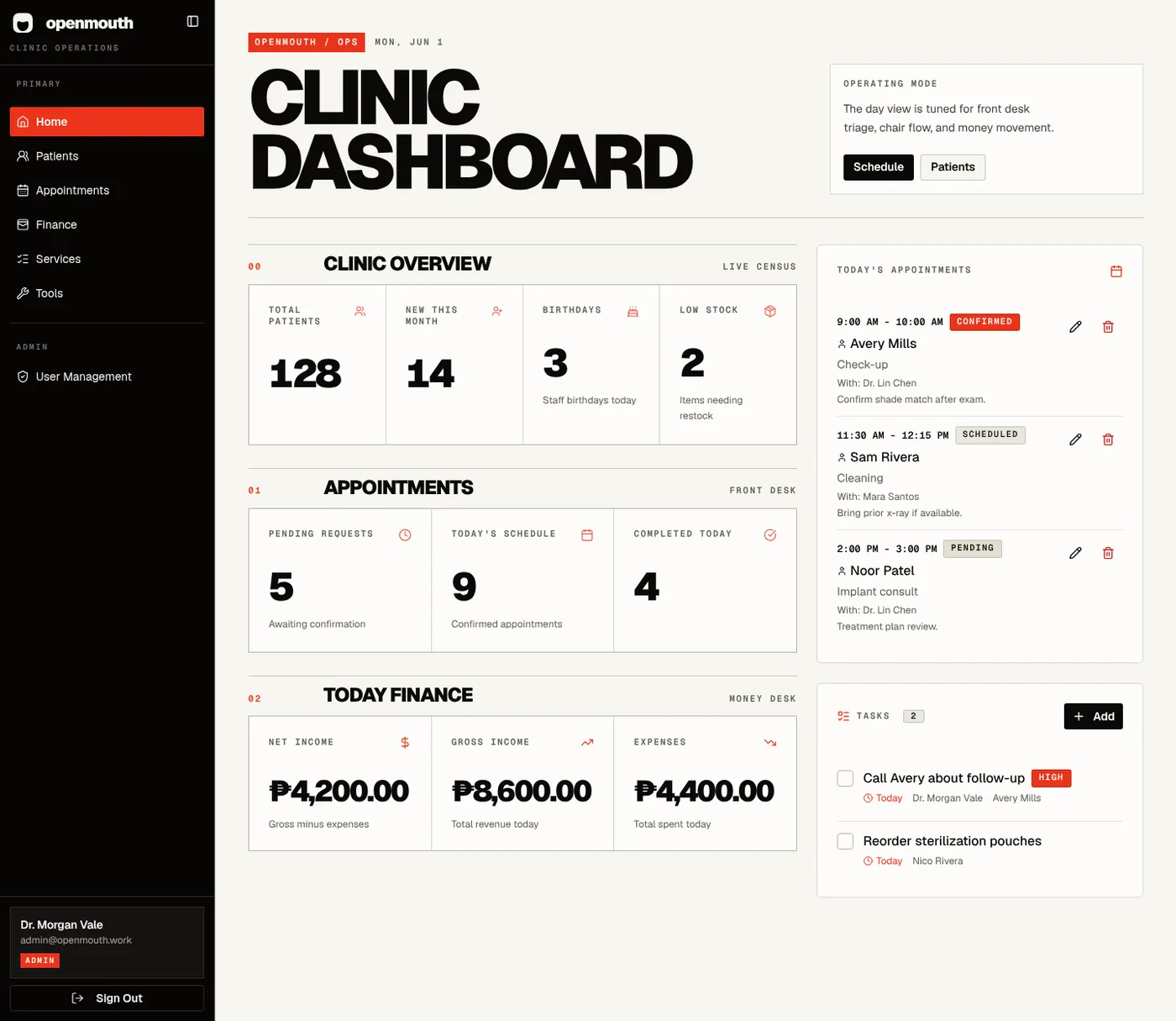
From the first scan to the next appointment, everyone works from the
same patient record.
01
Hello, you’re checked in.
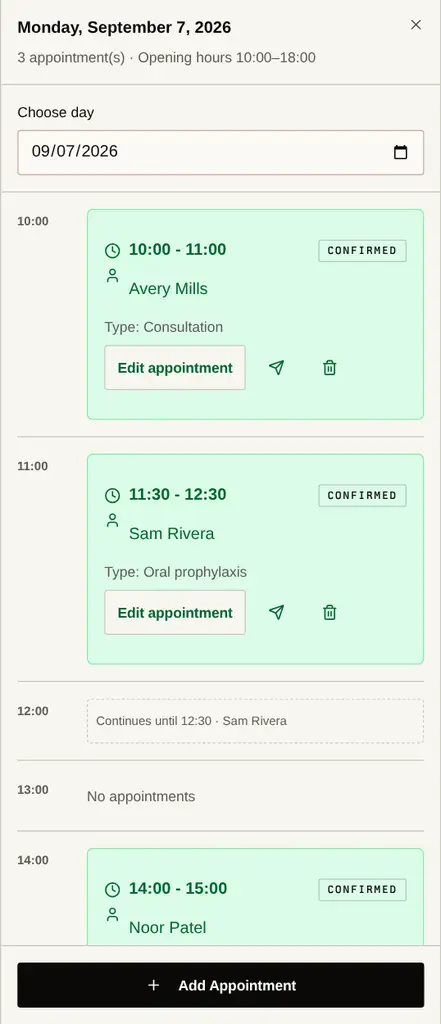
Patients book online or scan your check-in QR. Reception takes it
from there.
BOOKING + QUEUE02
The whole story. Right at the chair.
Clinical notes, tooth history, photos and treatment plans,
together in the visit.
CHARTING + RECORDS03
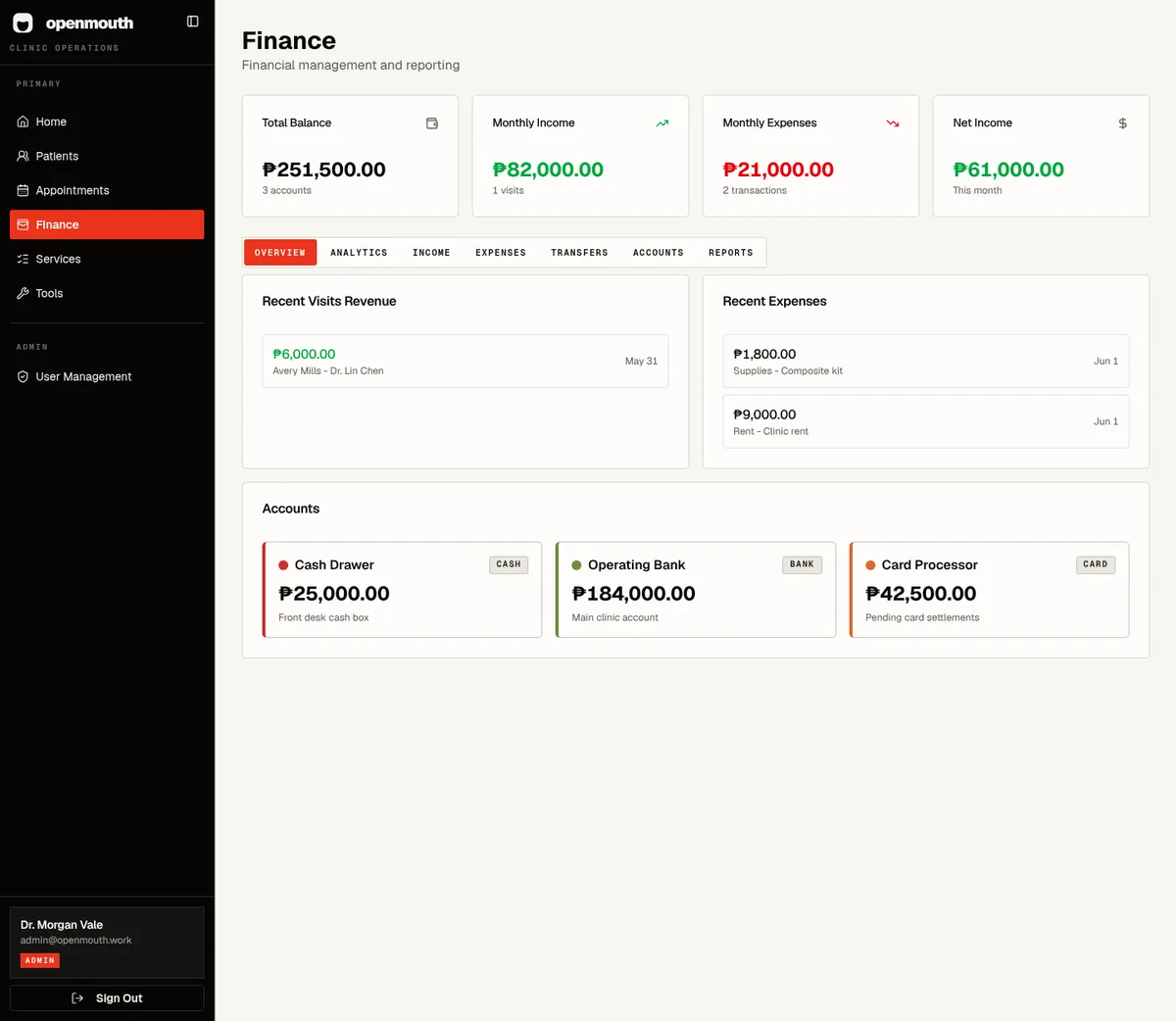
Care recorded. Numbers connected.
Record payments, track plan balances and see where your clinic’s
money goes.
PAYMENTS + FINANCE
YOUR WORDS. YOUR WORKFLOW.↗
05 / BUILT AROUND YOUR CLINIC
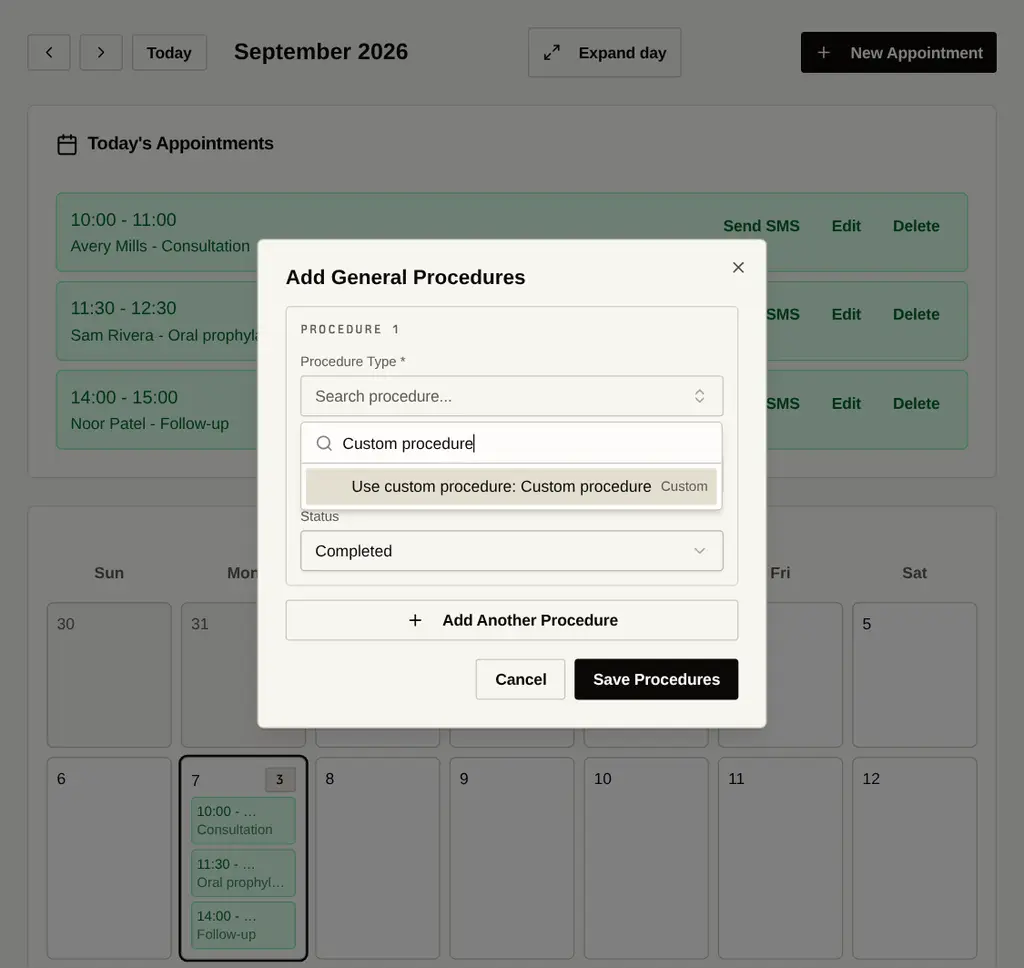
Dentistry doesn’t always fit a dropdown.
Select from your service catalog. Or enable custom general
procedures for your clinic and write what you actually did.
Your clinic decides. Custom entry is a tenant setting, not a change
forced on everyone.
Your servicesYour opening hoursYour staff roles
A MORE NATURAL WAY TO CHART
Beautifully clear. Familiar by design.
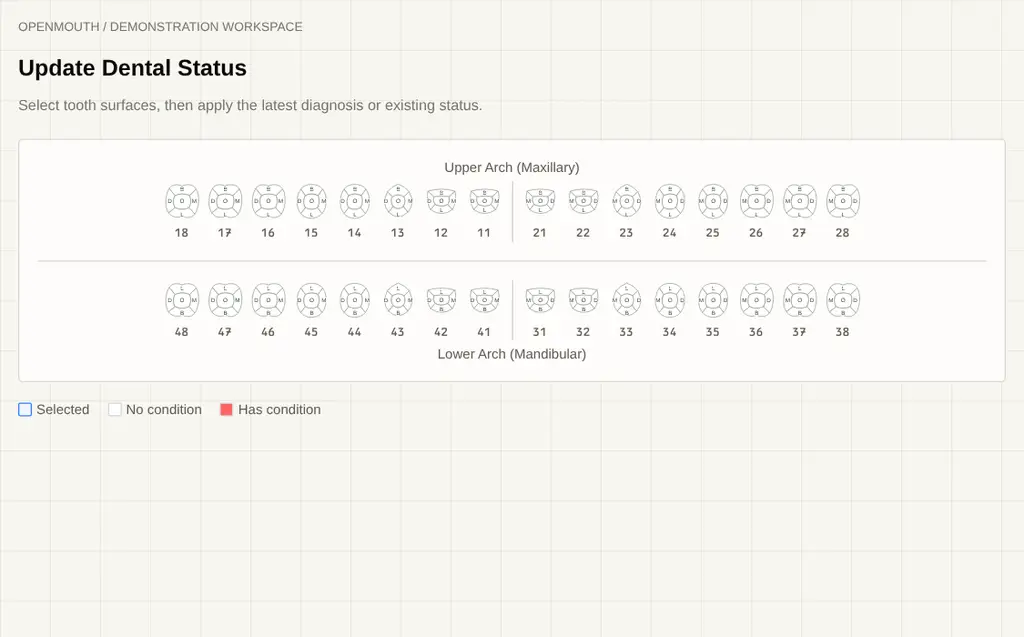
Teeth that look like teeth. Distinct incisor, canine, premolar and
molar crowns bring a more natural shape to your clinical workspace,
without changing the chart your team knows.
01 The same arch layout and tooth numbering.
02 Five selectable surfaces, with condition colors
and markers.
03 A refined look in patient and visit charting.
Actual chart UI · Demonstration workspace · Stylized crowns, not
diagnostic anatomy.
CONSENTSIGNED & RECORDED
OPENMOUTH / PATIENT DOCUMENTS℞
From your chair. To their care.
MedicineDosageFrequencyDuration
Your signature. Your clinic.
Workflow illustration · No clinical advice
06 / CARE DOESN’T END AT THE CHAIR
Prescribe. Sign. Send them forward.
Create e-prescriptions with medicine, dosage, frequency, duration
and notes. Add provider details, apply a saved signature, finalize
and print from the patient’s document history.
Certificates, too.
Record the purpose, treatment or diagnosis summary, and remarks
in a clinic-branded certificate.
Consent without the clipboard.
Reusable templates and one-time signing links let patients
review and sign. Keep the signed document with their record.
*Provider setup is required. SMS and payment-processing charges
are separate from the workspace subscription.
BEFORE WE SAY HELLO
A few good questions.
How does my clinic get started?+
Get in touch to set up your clinic workspace. OpenMouth is
invite-only: your clinic gets its own subdomain, then staff are
invited into it.
Can I use it on my phone?+
Yes. OpenMouth runs in your browser, with mobile layouts for
records, appointments, charting, finance and patient intake. No
app-store install needed.
Can we keep our own procedures and hours?+
Yes. Manage your service catalog and opening hours in tenant
settings. Your administrator can also enable custom general
procedures for your clinic.
What’s included in ₱600?+
The full clinic workspace: patient records, appointments, dental
charting, treatment plans, e-prescriptions, certificates, consent
signing, finance, reports, exports, services, inventory, tasks, QR
tools, clinic branding and staff users. SMS and payment-link tools
require provider setup; provider charges are separate.
Does it send prescriptions directly to pharmacies?+
No. OpenMouth lets your clinic create, sign, finalize and print
e-prescriptions from the patient record. It does not provide a
pharmacy-network transmission service.
Are SMS reminders and online payments enabled automatically?+
No. Your administrator configures the clinic’s 8x8 SMS and Xendit
payment-link integrations. Sending, scheduling and automatic
payment recording depend on the enabled settings and provider
setup.